How Do I Plan Space for a Future Upgrade Without Wasting Half the Room?
Planning your workspace for future upgrades can be a tricky balance. Too little flexibility, and you might find your new gear doesn’t fit comfortably. Too much space dedicated to hypothetical buys, and you risk wasting valuable room right now. So, how do you leave flexibility and avoid overplanning while keeping your setup ergonomic, efficient, and clutter-free?
In this post, we’ll break down the essentials of smart space planning based on your current equipment, shared insights from expert sources like the Chartered Institute of Ergonomics & Human Factors, and practical tips backed by resources such as DimensionzHub.com and MRQ. Along the way, we’ll also touch on useful tools like monitor arms and wall-mounted shelves that maximize modular storage. Let’s dive in!
Start With What You Actually Use Every Day
Before dreaming about a triple-monitor array or a desk that doubles as a gaming cockpit, ask yourself: what equipment do I really use right now? This might sound obvious, but so many people get caught up in hypothetical future gear and end up with desks or rooms that feel half-empty or cramped.

Designing around your current gear means you:
- Choose desk depth and size that fit your existing monitors, keyboard, mouse, and peripherals comfortably.
- Allocate chair clearance that accommodates movement without hitting walls or furniture.
- Pay attention to ergonomics based on what you actually use, ensuring comfort and reducing strain.
The Chartered Institute of Ergonomics & Human Factors emphasizes that ergonomics must respond to the immediate user environment, not just future possibilities. Planning for an upgrade is smart, but it should not overshadow the current setup’s functionality.
Desk Depth and Viewing Distance: The Foundation of Ergonomic Comfort
One of the most overlooked elements in room and desk planning is desk depth. It’s more important than your desk width because it affects viewing distance and arm position.
According to ergonomic guidelines and resources like DimensionzHub.com, the ideal viewing distance for your monitor is typically 20 to 30 inches (about 50 to 75 cm). If your desk is too shallow, your screens will feel cramped or forced too close, leading to eye strain and poor posture.
Desk Depth Recommended Viewing Distance Notes 24” (60 cm) 20-24” (50-60 cm) Minimally sufficient for single monitor setup 30-36” (75-90 cm) 24-30” (60-75 cm) Better for dual monitors or having space for full armrest 36”+ (90+ cm) 30”+ (75+ cm) Ideal for multiple screens, writing space, or additional peripheralsWhen you plan desk depth to suit your current monitors and sitting habits, you have flexibility for upgrades without wasted space. If you want to add a second or third screen, consider monitor arms. They free up desk surface and reduce depth requirements by allowing you to position screens higher or farther back.
Leave Flexibility Without Overdoing It
Many people make the mistake of dedicating half the room to a “future setup”—big desks, huge shelving units, or extra-wide spaces where nothing currently lives. This is overplanning and can make the room feel empty and underutilized for years.
Instead, use these strategies to leave flexibility without wasting space:
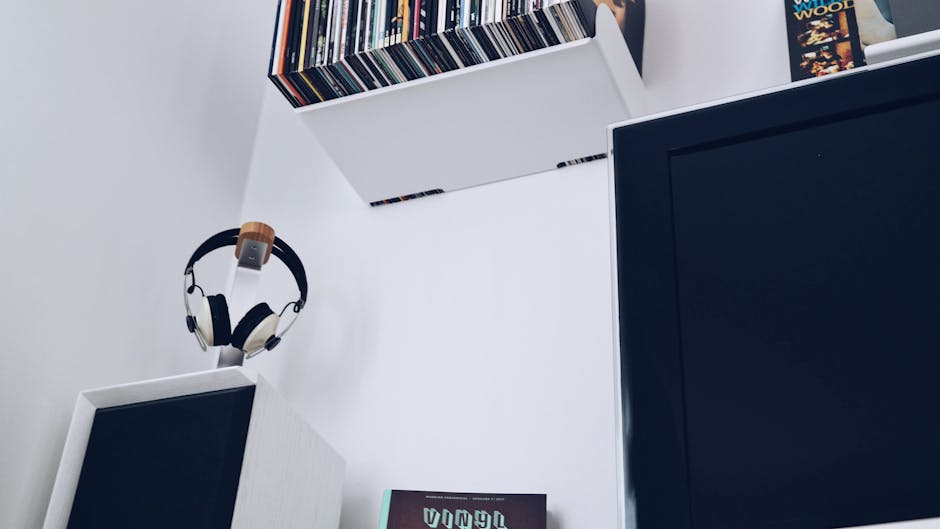
- Modular storage: Opt for wall-mounted shelves or modular units that can be reconfigured or expanded easily. MRQ (mrq.com) offers stylish and adjustable shelving and storage, letting you add or shift shelves as your gear grows.
- Adjustable mounts: Use monitor arms for screens and wall mounts for speakers or accessories, so you can reposition items rather than needing a new desk or shelf.
- Chair clearance and movement space: The Chartered Institute of Ergonomics & Human Factors recommends at least 24-30 inches of clearance behind and beside your chair. This allows you to move freely, which is critical for comfort and flexibility, especially in smaller spaces.
- Plan for cable management: Don’t forget that cables need space too—dedicate zones or use cable trays/hooks to prevent a tangled mess that could ruin your flexible setup.
Small-Space Ergonomics and Comfort
In smaller rooms, every inch counts. But small-space doesn’t mean compromise on ergonomics. Instead, smart design choices protect comfort and even increase available space over time.
Practical tips include:
- Using monitor arms to lift your screens off the desk.
- Wall-mounted shelves instead of bulky bookshelves, freeing floor space.
- Choosing a desk with enough depth — even if narrow in width — for proper screen distance and arm support.
- Ensuring chair clearance isn’t sacrificed; you need space behind to stand up, recline, and move easily.
DimensionzHub.com's measurement guides highlight that simple, well-measured layouts often outperform fancy modular systems that lack ergonomic grounding. Remember: no matter how beautiful the desk is, if your chair clearance is tight, you’ll feel cramped very fast.
Summary: Plan For Your Current Setup, Add Adaptable Storage, and Prioritize Ergonomics
Here’s a quick checklist to keep your future-ready room from turning into wasted space:
- Measure and design around your current gear. What do you actually use daily? Give these items and yourself optimal space and clearance.
- Use adjustable tools. Monitor arms and wall-mounted shelves create modular storage that can adapt as equipment changes.
- Don’t sacrifice chair clearance and movement space. Leave at least 24-30 inches behind your chair.
- Choose desk depth based on viewing distance needs. 30-36 inches is often the sweet spot.
- Plan for cable management. Tidy cables improve both ergonomics and aesthetics.
By following these guidelines, you’ll have a room that supports your current comfort and offers genuine flexibility for future gear without wasting precious space or overcomplicating your design.
For dimensionzhub.com tailored measurement resources and smart design tools, check out DimensionzHub.com. For adjustable storage and furniture, visit mrq.com. And for ergonomic science and guidelines, the Chartered Institute of Ergonomics & Human Factors website offers invaluable research and advice.
Need Help with Your Space Planning?
Feel free to get in touch or drop a comment sharing your current struggles or setup. Remember: the best space is one that fits what you actually live with every day — then grows with you seamlessly.