What to Include in a Network Infrastructure Security Checklist
A network security checklist should cover more than firewall rules, endpoint protection and passwords. It should account for the infrastructure that carries traffic: rooms, racks, cabling, switches, power, configuration and the people who maintain them. Physical infrastructure is part of cybersecurity, not a separate facilities concern.
That matters because a network can be logically well designed and still be vulnerable to a disconnected cable, an unauthorised device plugged into an empty port, or an undocumented switch hidden under a desk. These problems can cause outages, create security blind spots and make incident response much harder. The practical question is not just whether controls are in place, but what happens at 2am when something fails.
Use the checklist below to assess the whole network path, from the equipment room to the user device. Adapt it to your environment, including office, industrial and remote sites, and assign an owner and review date to each item. A checklist that nobody maintains is just another document that has gone stale.
1. Establish scope, ownership and risk
Before checking equipment, define what the checklist covers. Include corporate LAN and Wi-Fi, internet connections, remote access, data centres, branch offices, cloud connectivity and operational technology (OT) where relevant. Identify links between these environments: a poorly controlled connection between an office network and a plant network can undermine otherwise sensible protections on both sides.
- Set clear ownership: name the teams responsible for network design, physical security, configuration, monitoring and incident response.
- Identify critical services: record systems that would cause significant safety, operational, financial or privacy impacts if unavailable or compromised.
- Classify sites and equipment: distinguish, for example, a core network room from a small, low-risk office comms cabinet.
- Record dependencies: note power, cooling, carrier services, access control, DNS, authentication and management systems that the network relies on.
- Define exceptions: document why a control cannot be met, who accepted the risk and when it will be reviewed.
Good governance is practical, not ceremonial. If nobody knows who is allowed to approve a switch installation or firewall change, the control exists only on paper.
2. Protect physical infrastructure
Physical security is a cybersecurity control. Someone with access to a switch, patch panel or fibre tray may be able to interrupt service, connect an unauthorised device, capture traffic or alter the network path. Not every threat requires a sophisticated intrusion; accidental patching and casual access can be just as disruptive.

- Secure communications rooms and cabinets: restrict access to authorised staff and contractors, use appropriate locks or electronic access controls, and review access logs where available.
- Control keys and credentials: track physical keys, change access when staff or contractors leave, and avoid shared codes that cannot be attributed to an individual.
- Protect exposed equipment: check that switches and network outlets in public or shared spaces cannot be casually accessed or reset.
- Inspect for tampering: look for unexpected devices, broken seals, unfamiliar patch leads and changes to rack layouts.
- Plan for environmental risks: assess water ingress, dust, heat, fire protection, ventilation and the risk of accidental impact.
- Protect power: check UPS capacity, battery health, redundant feeds where justified, and whether critical equipment is connected to the intended circuits.
Physical controls need to match the site. A locked data centre cage and a small branch-office cabinet do not need identical arrangements, but both need a known access model and an inspection process. Treat “the comms cupboard is usually locked” as a prompt to verify, not as evidence.
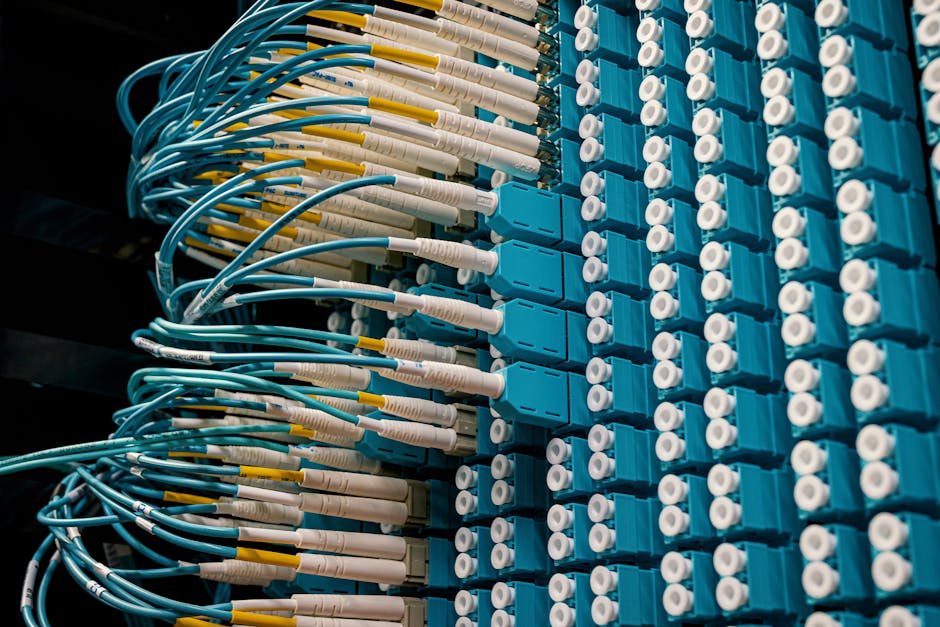
3. Check cabling, ports and the physical layer
Physical layer faults create both outages and security blind spots. A damaged fibre link, poor termination or intermittent power supply can produce packet loss and flapping interfaces that look like software problems. Meanwhile, an undocumented cable or unmanaged switch can provide an unmonitored path around intended controls.
- Label cables and patch panels: use consistent identifiers at both ends, and make sure labels match the documentation.
- Remove mystery cables: trace, identify and either document or safely remove unused patch leads. Unidentified connections are a security smell.
- Test and certify links: keep test results for installed cabling and investigate links with recurring errors or unexpected performance issues.
- Review unused ports: disable ports that are not needed, and make sure unused outlets in accessible areas cannot become an easy route onto the network.
- Separate pathways where needed: consider physical diversity and protection for critical links, especially where a single cut or construction activity could interrupt essential services.
- Control installation work: require approval, supervision and a handover record for cabling changes and contractor work.
Do not treat cabling as “just plumbing”. The cable is the route your traffic takes. If that route is unknown, incorrectly patched or easy to access, security and troubleshooting both suffer. A label maker in the laptop bag is not a full control framework, but it is a good sign that someone understands the value of traceability.
4. Verify switching and segmentation
Segmentation depends on capable switching and correct design. A diagram showing separate VLANs does not prove that traffic is appropriately restricted. The switch configuration, routing boundaries, access controls and firewall policy all need to work together—and be tested.
- Use managed switching: production switches should support central configuration, visibility, secure management and the features required by the segmentation design.
- Document network zones: describe the purpose of each VLAN or subnet, which devices belong there and what traffic is permitted between zones.
- Restrict inter-zone traffic: route traffic through appropriate policy enforcement points, such as firewalls or access-control mechanisms, rather than relying on labels alone.
- Review layer-two protections: assess protections such as port security, DHCP snooping and spanning-tree safeguards where suitable for the platform and design.
- Secure management interfaces: use a dedicated management network where practical, restrict who can reach it and avoid managing switches from ordinary user segments.
- Control switch access: disable unused services and ports, use individual administrative accounts where possible, and remove default credentials.
- Check for unmanaged switches: find and remove unauthorised devices, or replace them with approved managed equipment.
Vendors such as Cisco and MOXA may appear in the same organisation for different reasons: enterprise IT, industrial networks or specialised environments. The checklist should focus on the security capabilities and support status of each platform, not assume that a familiar brand or a particular product type is secure by default. Validate that configurations are appropriate for the device’s role and that firmware is maintained.
For OT environments, changes can affect safety and availability. Assess security controls alongside operational requirements, involve system owners and test changes in a controlled way. A control that unexpectedly interrupts a production process is not a successful implementation.
5. Secure network devices and management
Network devices are security-sensitive systems. An attacker who gains administrative control of a switch, router or wireless controller may be able to observe traffic, change paths or disrupt multiple services. Treat infrastructure management as a privileged access function.
- Remove defaults: change default passwords and disable unused default accounts and services.
- Use strong authentication: apply central authentication and multifactor authentication for administrative access where supported and appropriate.
- Limit privileges: give administrators only the access they need and separate routine user accounts from privileged accounts.
- Protect management traffic: use encrypted protocols, restrict source addresses and avoid insecure legacy protocols.
- Maintain software: track firmware versions, security advisories, vendor support dates and approved upgrade plans.
- Back up configurations: store backups securely, restrict access, test restoration and retain a known-good configuration.
- Log administrative activity: send relevant logs to a protected central service and ensure time synchronisation is reliable.
Configuration changes should be authorised, reviewed and recorded. Include the request, approver, implementation window, validation steps and rollback plan. Emergency changes still need a record and a follow-up review.
6. Review firewalls, endpoints and monitoring
Firewalls and endpoint detection platforms are important controls, but neither can compensate for an unknown network. Monitoring is useful only when the organisation can interpret what it sees and relate alerts to a current view of devices, segments and expected traffic.
- Review firewall rules: identify broad or obsolete rules, confirm business owners, and set a regular review cycle.
- Protect administrative access: restrict access to firewall management interfaces and monitor changes to policies and objects.
- Connect endpoint visibility to network context: know which devices are covered by endpoint detection platforms and identify unmanaged or unsupported devices.
- Monitor network health: alert on link failures, unusual interface errors, unexpected device appearances and changes to critical infrastructure.
- Centralise logs: collect relevant switch, router, firewall, authentication and remote-access events in a place responders can access.
- Test alert handling: confirm alerts reach an accountable team, have useful context and can be escalated out of hours.
Garland Technology, for example, provides network visibility solutions used in some environments. Whatever tools are selected, verify that they fit the architecture, preserve required traffic context and have a clear operational owner. A monitoring appliance that nobody checks is another box in a rack, not a security outcome.
7. Keep documentation accurate and usable
Documentation is a security control because it helps cyberdaily.au teams understand what is connected, where traffic is allowed and how to respond when something changes. It is also one of the first things responders need during an outage or investigation.
Documentation item What it should show Review trigger Physical diagrams Rooms, racks, patch panels, links, power feeds and device locations After installation, relocation or cabling work Logical network diagrams Zones, VLANs, subnets, routing, firewalls and key traffic paths After design or policy changes Asset inventory Device owner, purpose, location, model, software version and support status After procurement, replacement or discovery of an unknown device Configuration records Approved baselines, backups, change history and recovery steps After every authorised change Access records Who can enter rooms or administer devices, and how access is granted After personnel or contractor changesKeep sensitive diagrams and configuration backups protected: documentation can help an attacker map the environment if it is exposed. At the same time, make approved versions easy for authorised staff to find. Store an offline or otherwise resilient copy of critical recovery information in case the management network or documentation platform is unavailable.
8. Align the checklist with incident response and assurance
ACSC guidance assumes solid network foundations. Advice about reducing exposure, controlling access and detecting threats is much harder to apply when an organisation cannot identify its devices, enforce boundaries or restore a known-good configuration. Use current Australian Cyber Security Centre (ACSC) guidance as an input to your security programme, then check that the underlying infrastructure can support the controls in practice.
- Walk the site: compare physical conditions with diagrams and asset records. Follow a sample of links end to end.
- Test the design: verify segmentation and access controls with approved tests, rather than relying solely on configuration intent.
- Exercise recovery: practise restoring switch and firewall configurations, and confirm that essential contacts and access methods work.
- Include out-of-hours response: define who is called, what can be isolated safely and what information responders need at 2am.
- Track findings: assign each issue an owner, priority, remediation date and closure evidence.
- Repeat regularly: review after major changes, incidents, site works or changes in business risk—not just at annual audit time.
Make the checklist a working control
A useful network infrastructure security checklist joins physical security, managed switching, segmentation, monitoring and documentation into one operational view. It should expose gaps such as open cabinets, unidentified cables, unsupported equipment, broad firewall rules and undocumented links between IT and OT. Most importantly, it should make it clear who will fix each problem and how the fix will be verified.
Start with what can be observed: inspect the rooms, trace the links, check the switch configurations and compare them with the diagrams. Then test the controls and recovery process. Networks rarely become resilient through a single product purchase; they become resilient when design, physical infrastructure and operations are kept aligned. And when the next fault arrives in the middle of the night, accurate labels and documentation can be the difference between a controlled recovery and another mystery cable story.